
Manage environment variables
Look up variables per environment, and add or edit them safely from your phone.
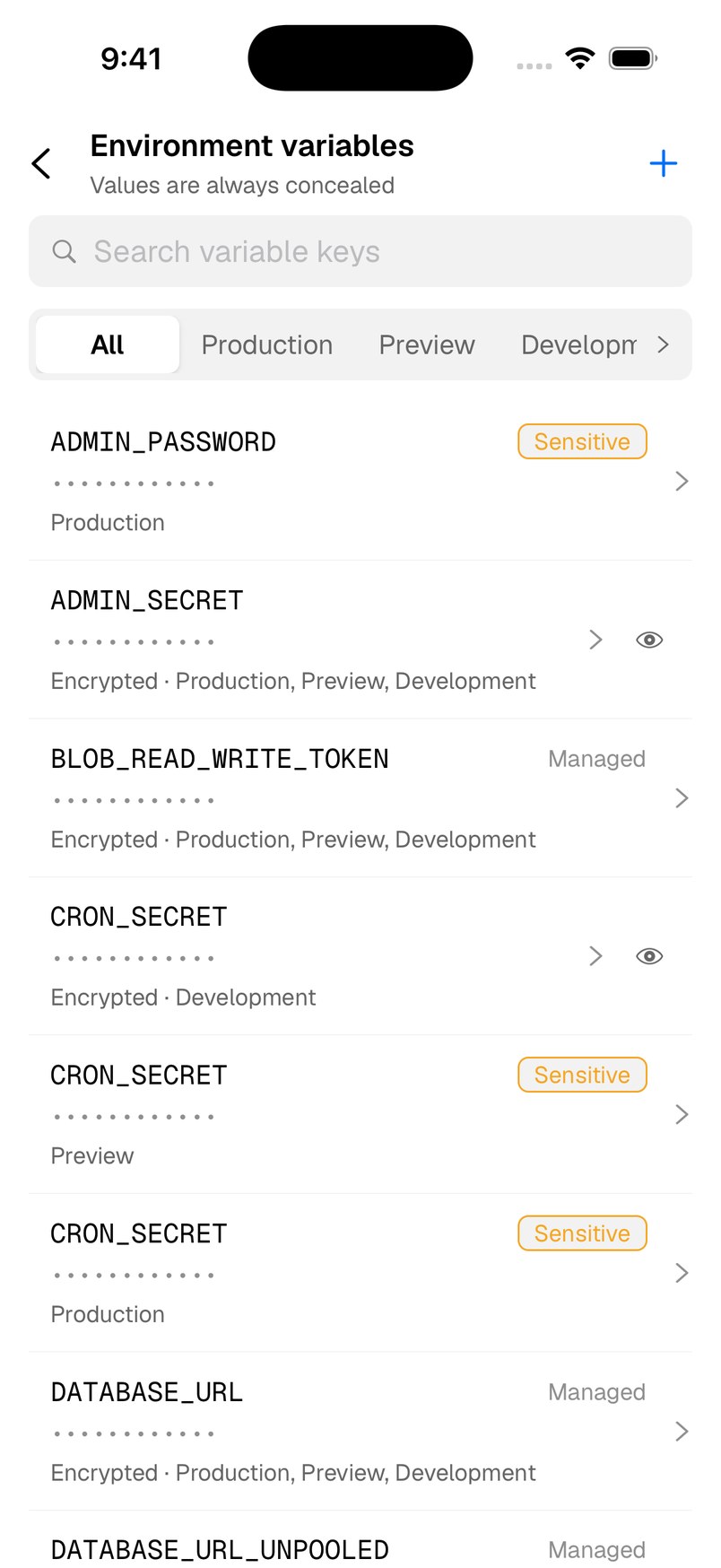
Find a variable
- Open Environment Variables from the project overview’s Project Tools, or add Env to your tabs.
- Choose All, Production, Preview, Development or a custom environment, and use Search variable keys.
- Values are always hidden. Tap the eye on a variable to reveal it. Sensitive and Managed variables cannot be revealed.
Add or edit
- Tap + to add a variable, or tap one to edit it.
- Fill in KEY and VALUE, an optional comment, and the ENVIRONMENTS it applies to.
- Turn on Sensitive for secrets. A sensitive value is concealed permanently after saving, and cannot target Development.
- Tap Add or Save, then confirm.
Editing is protected by a remote safety switch. If it is ever turned off, the list stays readable and the + button disappears until it is back.
Remove a variable
Open the variable and tap Remove environment variable. Deployments that depend on it may stop working, and this cannot be undone.
Need more help?
Ask on the feedback board or email support@vercat.dev.
Last updated
